Data protection: keep a copy of what matters

Your photos and documents only exist in one place until you back them up. Computers die, phones get lost, and hard drives wear out. A backup is simply a second copy — and “redundant” just means you keep more than one, so one failure can never take everything.

Cloud backup

Your copy is stored on the internet, on big computers run by Apple, Google, Microsoft, or Dropbox. It happens automatically, and it survives even if your house floods or your phone is stolen.

Hard drive backup

Your copy sits on a small external drive in your home. No internet needed, no monthly fee, and you hold it in your hand. Unplug it when the backup finishes so nothing bad can reach it.

The four big cloud backups, compared

Built into iPhone
Apple · iPhone, iPad, and Mac

iCloud

Apple's own backup. If you have an iPhone, it is already there — it quietly copies your photos and settings while you sleep.

What it isApple's cloud backup, built into every iPhone, iPad, and Mac. Turn it on once and it copies your photos, contacts, and settings by itself.
What it costsA small amount of space is free. Most people's photos fill that up, so Apple sells bigger plans for a few dollars a month.
Good to knowBackup covers Apple devices only — but you can still view your photos and files on a Windows PC or in any web browser. If the whole family uses iPhones, one plan can cover everyone.
Most free space
Google · Android phones and any computer

Google Drive

Google's backup gives you the most free space of the big four, and it works on almost anything.

What it isGoogle's cloud storage. On Android phones it backs up photos and settings automatically, and on any computer you can drag files straight into it.
What it costs15GB free — the biggest free slice here. Bigger plans cost a few dollars a month.
Good to knowThat 15GB is shared with your Gmail and Google Photos, so heavy photo takers still fill it up.
Comes with Word and Excel
Microsoft · Windows computers

OneDrive

Microsoft's cloud, built into Windows. The paid plan throws in Word, Excel, and a huge amount of space.

What it isMicrosoft's cloud backup, built into Windows 10 and 11. Your Documents folder can sync to it without you lifting a finger.
What it costsA little space is free. The Microsoft 365 plan costs about ten dollars a month and includes Word, Excel, and a full terabyte of backup space.
Good to knowIf you already pay for Microsoft 365, you already have the backup — most people never turn it on.
Simplest to share
Dropbox · works on any device

Dropbox

The original cloud backup. Not the cheapest, but dead simple — especially for sharing files with family.

What it isA folder on your computer that magically exists on all your other devices too. Put a file in, and it appears everywhere.
What it costsOnly a tiny bit is free. Paid plans run about ten dollars a month for a big chunk of space.
Good to knowSharing is its superpower — send a link and anyone can view or download, no account needed.

The backup you keep at home

No monthly feeA portable external hard drive
Home backup · one-time purchase · no monthly fee

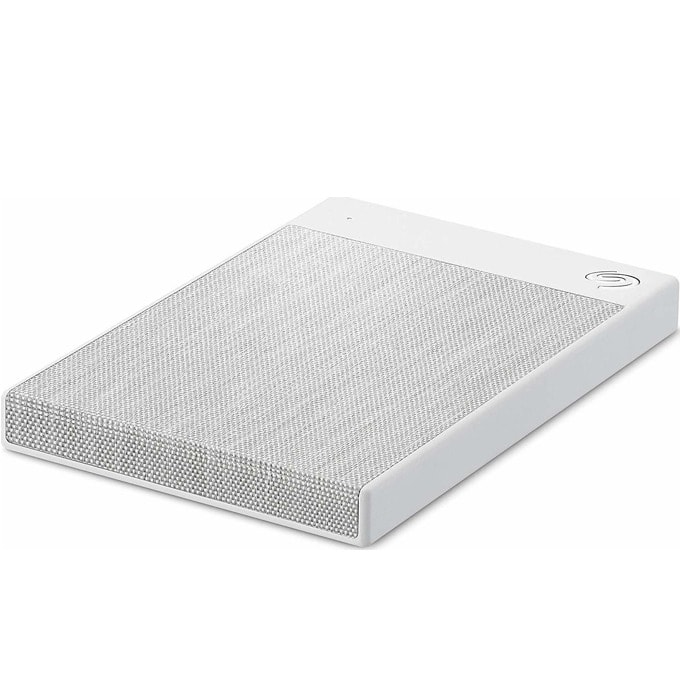
External hard drive

A small box that holds a full copy of your files. You hold it in your hand, and nobody bills you every month.

What it isA small box, about the size of your phone, that plugs into your computer with a cable. It holds a full copy of your files.
How you use itPlug it in, copy your photos and documents over (or let the computer do it on a schedule), then unplug it and put it somewhere safe.
Why unplug itA backup only protects you if a virus or power surge can't reach it. Unplugged on a shelf, it is safe from both.

The simple rule: two copies, two places

I will set this up for you. I configure automatic recurring backups — your files copy to the USB drive and the cloud on their own, on a schedule, so you never have to remember. Redundant backups are the recommendation: a physical USB drive plus cloud backup. Call (813) 770-6082.

Straight 2 Work Tech, LLC — patient, plain-words tech help.
(813) 770-6082