Mac Basics
A Mac is the computer made by Apple — a MacBook if it is a laptop, an iMac or Mac mini if it sits on a desk. The system that runs it is called macOS. The newest version (fall 2026) is macOS 27, nicknamed Golden Gate; many Macs still run the previous version, macOS 26 Tahoe, and that is perfectly fine — the basics below work the same on both.
The three places everything happens
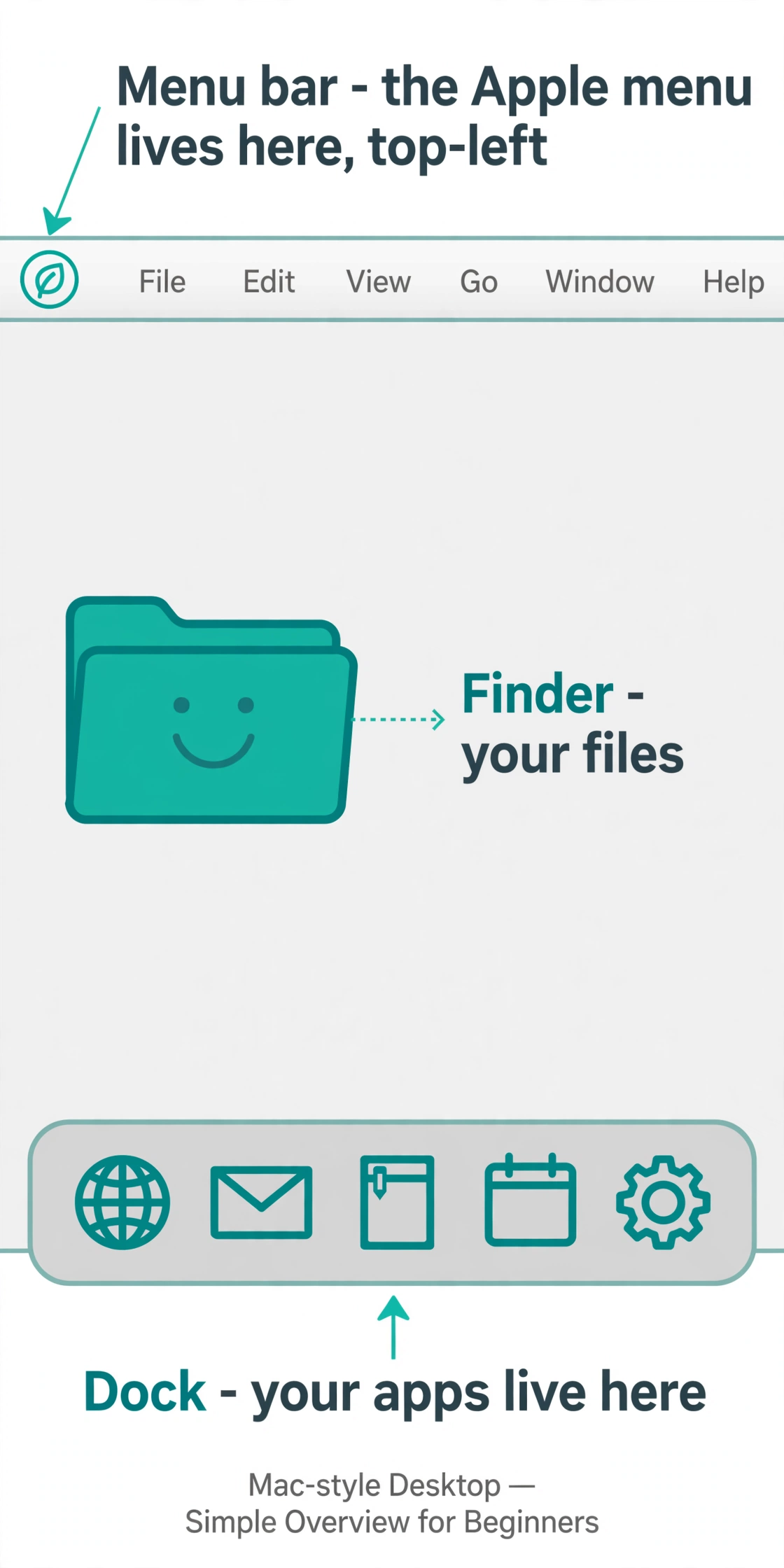
- The menu bar — the thin strip across the very top. The Apple menu (top-left corner) is home base: About This Mac, System Settings, Sleep, Restart, and Shut Down all live there. The words next to it change with whichever app you are using.
- The Dock — the row of app icons along the bottom. Click an icon to open that app. A small dot under an icon means the app is already running.
- The desktop — the screen behind everything, like the top of a real desk.
Finder: where your files live
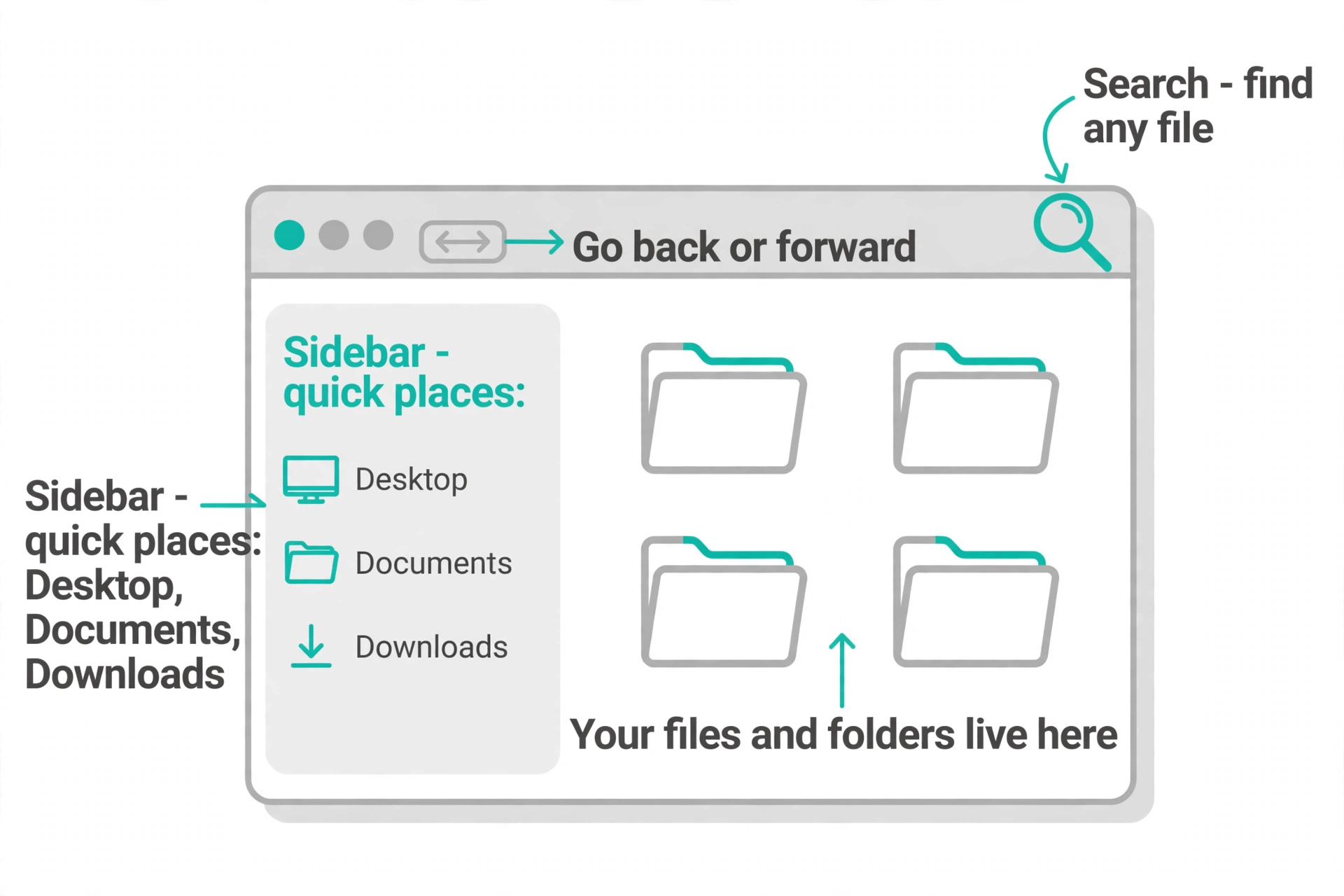
Look for the smiling face — that is Finder, the Mac's version of File Explorer. Open it and you get your files and folders, a sidebar with quick places (Desktop, Documents, Downloads), back-and-forward arrows, and a search box in the top-right corner that finds any file in seconds.
Opening apps: three easy ways
- Click the app in the Dock. If it is there, this is the fastest way.
- Press Command + Space, then type the app's name. This is called Spotlight, and it is the Mac's fastest trick — type a few letters, press Enter, and the app opens. It finds files and emails too.
- Open Finder and click Applications in the sidebar — every app on your Mac is listed there.
Heads-up: the old Launchpad grid of apps is gone in the new macOS versions. Spotlight's Apps view (press Command + Space, then Command + 1) is its replacement.
Everyday tasks
- Connect to Wi-Fi: click the Wi-Fi symbol in the top-right corner of the menu bar and pick your network. Or go the long way: Apple menu → System Settings → Wi-Fi.
- Make text bigger: Apple menu → System Settings → Accessibility → Display → Text size, then drag the slider. This enlarges text in Finder, Mail, Messages, Notes, and Calendar.
- Sleep, restart, or shut down: click the Apple menu (top-left). Sleep is a light nap — everything stays exactly as you left it. Restart fixes a surprising number of glitches. Shut Down turns the Mac fully off.
- Get apps: the App Store (the “A” icon in the Dock) is where you find new apps — search, click Get, done. Your app updates live here too.
Switching from Windows? Here is what is called what
- Finder = File Explorer
- Dock = the taskbar
- System Settings = Settings (older Macs call it System Preferences)
- Trash (in the Dock) = the Recycle Bin
- Safari = the built-in web browser, like Edge or Chrome
- The Command (⌘) key does what Control does on Windows — Command-C to copy, Command-V to paste.
- One big difference: closing a window (the red button) does not always quit the app. To truly quit, click the app's name in the menu bar and choose Quit, or press Command-Q.
Which version do I have — and do I need the newest one?
Click the Apple menu and choose About This Mac — it shows your version. There is no rush to update: the previous version still works fine and keeps getting security fixes. And if your Mac has an older Intel chip inside, it simply cannot run the very newest macOS — that is okay, it will keep working as it always has.
When to call Sean instead
- Your Mac offered an update and you are not sure whether to say yes.
- Wi-Fi will not connect no matter what you try.
- An app keeps crashing or a window will not close.
- You are thinking about switching from Windows to Mac (or the other way) and want honest advice first.
Spotlight If it is there, this is the fastest way.; Press Command + Space, then type the app's name.; This is called Spotlight, and it is the Mac's fastest trick — type a few letters, press Enter, and the app opens.
The menu bar The three places everything happens The menu bar — the thin strip across the very top.
System Settings on Mac Click the Apple menu (top-left corner), then System Settings — that's the Mac's control panel for Wi-Fi, sound, display, and everything else. Older Macs called it System Preferences; same idea, newer name. The search box at the top finds any setting fast.
Installing apps on Mac The safest way is the App Store (blue icon with the "A") — find the app and click Get. Some programs come from the maker's website as a download you drag into your Applications folder. If your Mac warns about an unknown developer, that's it protecting you.
Time Machine backup Time Machine is the Mac's built-in backup — plug in an external drive, and it asks if you want to use it for backup. After that it saves everything automatically every hour. If anything ever goes wrong, you can rewind your whole Mac to yesterday.
Mac running slow First restart it — that clears most sluggishness. Then check storage: click the Apple menu, About This Mac, then the Storage tab; if it's nearly full, that's your culprit. Too many apps opening at login also slows things — trim them in System Settings under General.
Mac won't turn on Hold the power button (or Touch ID button) for 10 seconds, release, then press it once normally — that resets the power state. Check the charger is firmly plugged in at both ends.
Safari on Mac Safari (the compass icon in your Dock) is the Mac's web browser. The address bar is at the top — type a website address or a search there. Your iPhone's open tabs and bookmarks sync over through iCloud, so the web follows you.
Mac vs PC (what's the difference) A Mac is Apple's computer — it runs macOS and works seamlessly with your iPhone and iPad. A PC usually runs Windows and comes in far more shapes and prices. Macs cost more up front but tend to last longer and need less fuss; pick the one your family can help you with.
Copy and paste on Mac On a Mac it's Command+C to copy and Command+V to paste — the Command key is the one with the ⌘ symbol, next to the spacebar. Highlight text, press Command+C, click where it should go, press Command+V. Works for files in Finder too.
Straight 2 Work Tech, LLC — patient, plain-words tech help.
(813) 770-6082