Too Much Boom, Not Enough Word: The Bass, Treble, and Equalizer Knobs
Your soundbar has two families of settings, and they are usually taught tangled together. The voice modes — the ones that lift the words — have their own lesson: Hearing the Words Over the Music: Dialogue Modes. This lesson owns the other family: the tone knobs. Bass, treble, the subwoofer's level, and the equalizer sliders. Turned the wrong way they are exactly how a good bar ends up booming through the film while the actors mumble — and the fix is a calm five minutes with one scene you know well.
The two-knob fix, step by step
- Start flat. Put the bar in its Standard mode (its plain, no-drama setting), and set bass and treble to the middle — zero, if they show numbers. You want a fair starting line, not three fixes stacked on each other.
- Play a talking scene — the news, or a drama scene you have seen before — at your normal listening volume. Not an action scene: explosions forgive every setting.
- If the words are buried in boom, turn the bass DOWN one step and listen again. Too much bass does not just sound low; it physically covers the words, like a duvet over a conversation. One step at a time — the right place is usually one or two steps, not five.
- If the words sound dull or muffled, turn the treble UP one step. Treble carries the crisp edges of speech — the s and t sounds that make words separate. One step too far and voices turn hissy and sharp; back off one when they do.
- Stop when the words are clear at normal volume. That is the whole test. Change one knob at a time and replay the same minute after each change — two changes at once and you will never know which one cured it.
The subwoofer: its level and its corner
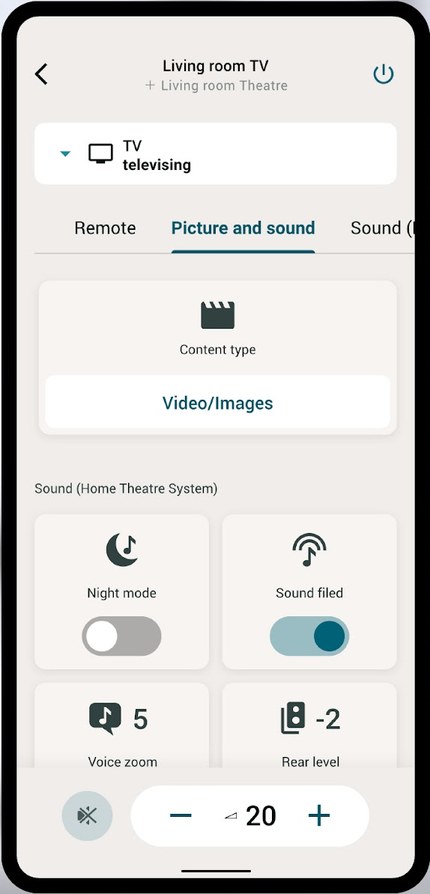
If your bar came with a separate bass box — a subwoofer — it has its own level, separate from the bar's bass knob. Many subwoofers carry a volume dial on the box itself; the rest put the level in the bar's remote levels or its app, next to the other speaker levels. If the whole room hums and the floor buzzes on ordinary scenes, that level — not the bar's bass — is the first suspect: turn it down a step or two. Placement works like this: on the floor, near the bar or the TV wall, is home. A corner makes bass louder without touching a knob — useful for a weak subwoofer, too much for a strong one, in which case slide it a foot or two out of the corner. Never inside a closed cabinet: the box needs air, and the cabinet will rattle in sympathy. (Where the bar itself should sit is owned by The Soundbar Sounds Worse Than the TV: Placement and Settings; this lesson assumes it is already in open air.)
Where the tone knobs live, brand by brand
| Your bar | Where the tone knobs live | The late-night lever |
|---|---|---|
| Samsung | On many bars, the remote's Sound Control button steps through the settings — Bass, Treble, and the subwoofer among them — with the arrows raising or lowering each. On Wi-Fi bars, the SmartThings app shows the full set: an equalizer with sliders, plus the individual levels. | Night Mode, on the models that offer it, in the same SmartThings sound settings. |
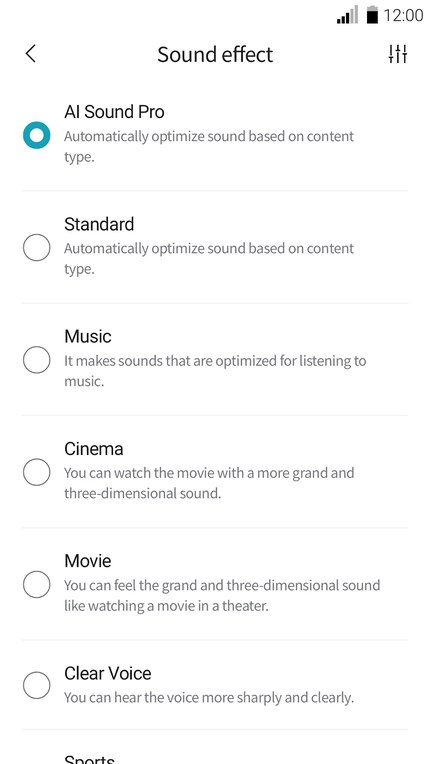
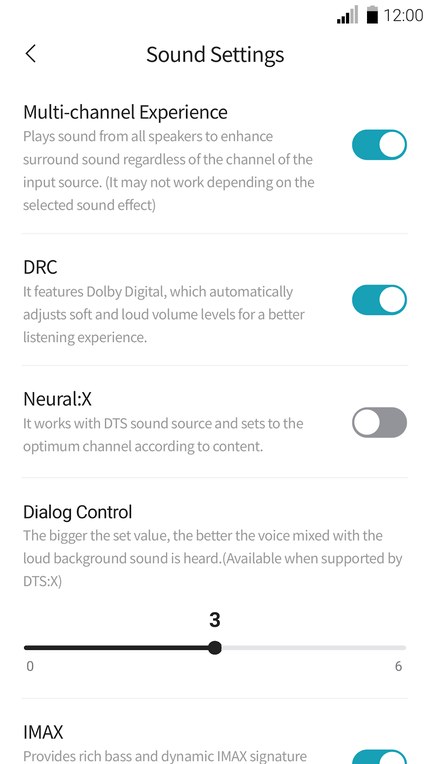
| LG | The LG Sound Bar app: Sound Effect chooses the flavour, and many models add a User EQ — a row of sliders you set yourself — along with the level of each speaker, the subwoofer included. Some bars also reach the same settings through a Settings button on the remote, with the choices scrolling across the bar's own display. | Night Time, in the app or in that same settings list — it lowers the loud parts and holds the soft parts up. |
| Sony | Many Sony remotes carry subwoofer level buttons (marked SW + and −) and the sound settings menu holds the rest; the newest Bravia bars move the equalizer and levels into Sony's phone app instead. Sony spreads its controls more than most — check the remote first, then the app. | A NIGHT button on the remotes of many models — one press, and the bangs shrink while the words stay. |
| Vizio | The remote is the workshop: the EQ button steps through ready-made flavours (Movie, Music, Direct, Game), and the LEVEL button steps through Bass, Treble, Subwoofer, and Dialogue, one at a time, with the bar's lights showing where the level stands. The VIZIO app shows the same levels as sliders on the bars it supports. | Night Mode, in the app's effect settings on the models that carry it. |
Honest notes before you start
An equalizer preset (Movie, Music) and a custom equalizer are different things: the preset is a fixed recipe, the sliders are you cooking. If you set the sliders yourself, start from the plainest preset — Direct or Standard — so the recipe underneath is not fighting you. One boundary from the dialogue lesson is worth repeating here: settings only reshape the sound in the box that is making it. Your TV's own tone controls do nothing while the soundbar is playing — the knobs in the table above, on the bar, are the ones that count. And no knob fixes a bar shut inside a cabinet or doubled with the TV's speakers; if the sound is echoing or muffled at the source, work through The Soundbar Sounds Worse Than the TV: Placement and Settings first, then come back here to season it.
Words in this lesson
- Bass: the low sounds — engines, thunder, the boom in music. Too much of it buries voices.
- Treble: the high sounds — the crisp edges of speech. A little more makes words separate; too much makes them hiss.
- Equalizer (EQ): a row of sliders, each governing one slice of the sound from low to high. Bass and treble are its two simplest forms.
- Subwoofer: the separate box that makes only the lowest sounds. It has its own level, apart from the bar's bass knob.
Straight 2 Work Tech, LLC — patient, plain-words tech help.
(813) 770-6082