Tools for Low Vision
Poor eyesight does not have to mean giving up your independence. There is a whole world of technology built to help: software that reads the screen out loud, tools that make everything bigger, and free apps that describe the world around you through your phone's camera.
Many of the best options are already on your devices and free — you just have to know where to look. Always start there before spending a dollar.
Start free: what's already on your devices
- Windows Magnifier. Hold the Windows key and press Plus (+) — the whole screen zooms in. Press Windows key + Esc to turn it off. Built into every Windows 10 and 11 computer, free.
- Windows Narrator. Press Ctrl + Windows key + Enter to switch on the built-in screen reader — it reads aloud whatever is on the screen. Also free and built in.
- iPhone and iPad: VoiceOver and the Magnifier app. VoiceOver (Settings > Accessibility > VoiceOver) reads the screen aloud as you swipe your finger across it. The separate Magnifier app turns your camera into a magnifying glass for menus, labels, and pill bottles. Both free, both already on your iPhone.
- Android phones: TalkBack and magnification. TalkBack (Settings > Accessibility > TalkBack) reads the screen aloud. Android also has a built-in screen magnifier under Accessibility. Both free.
Screen readers: the computer reads to you
- NVDA — free, for Windows. Reads web pages, email, and documents aloud. It is free, open-source, and run by a nonprofit — surveys show it is one of the most widely used screen readers in the world, and the most widely used free one. If you are starting from zero on a Windows computer, start here.
- JAWS — paid, for Windows. The long-time professional choice with the deepest set of features. A home yearly plan costs about $95 a year. Best when you need the most powerful option and don't mind paying for it.
- Apple VoiceOver — free, built into every iPhone, iPad, and Mac. Controlled by finger gestures on touch screens and keyboard commands on a Mac. No download, no cost.
- Google TalkBack — free, built into Android phones. Swipe and tap gestures read apps and web pages aloud. No download, no cost.
- Windows Narrator — free, built into Windows. Simpler than JAWS or NVDA, but fine for everyday basics — and it works right from the login screen.
Magnifier software: make the screen bigger
- ZoomText — paid, for Windows. Enlarges the screen far beyond what Windows alone can do, with high-contrast color modes (like yellow text on black) that are easier on weak eyes. It can also read text aloud. Yearly home plans are available and there is a free trial — try before you buy.
- Windows Magnifier — free, built in. Described above. For many people, this plus larger text settings is all they ever need.
- Mac Zoom — free, built in. The Mac’s own magnifier, and the one Mac owners miss because it starts out switched off. Turn it on once: open System Settings → Accessibility → Zoom and switch on “Use keyboard shortcuts to zoom.” From then on: hold Option + Command and tap the = key to zoom in, the − key to zoom out, and Option + Command + 8 to jump in and out. The same settings page also offers zooming by holding the Control key while you scroll, and Hover Text, which blows up any paragraph you point at when you hold the Command key — handy for reading one dense email without magnifying the whole screen.
Free apps that describe the world
- Seeing AI (by Microsoft) — free. Point your phone's camera at anything and it talks back: reads printed text and even handwriting, scans barcodes to name products, recognizes money, identifies colors, and describes scenes and photos. Works on iPhone, iPad, and Android.
- Be My Eyes — free. Two kinds of help in one app: a live video call with a sighted volunteer — a real person, available any time of day — who can read a label or describe what is in front of you, and Be My AI, an artificial-intelligence assistant that answers questions about photos you take.
- Worth knowing: some smart glasses can now describe what their built-in camera sees and connect to Be My Eyes volunteers hands-free. Still new, but promising — ask me before buying.
Top 3 desktop magnifier machines
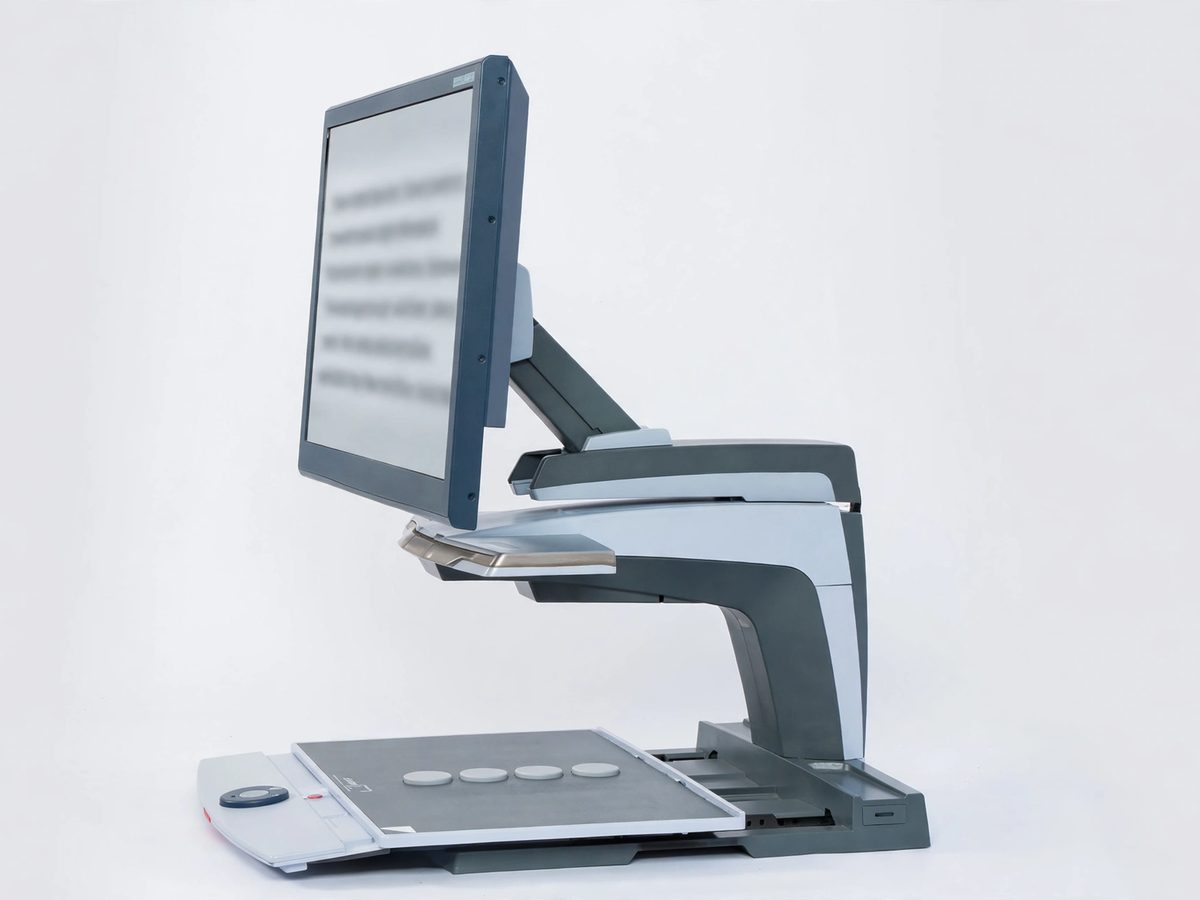
These are physical machines for your desk: you slide a book, letter, or pill bottle under the camera, and it appears huge and sharp on a big screen. They are the gold standard for reading paper when your eyes can't manage it anymore.
- 1. Optelec ClearView C HD — 24-inch screen. Crisp high-definition picture, simple color-coded controls, and high-contrast modes. Around $3,500.
- 2. Freedom Scientific TOPAZ XL HD — 24-inch screen. Very sharp image even at low magnification (so more words fit on screen), and it can connect to a computer too. Around $4,250.
- 3. Enhanced Vision DaVinci Pro HD. A full HD magnifier that can also read the page out loud at the push of a button — magnification and speech in one machine. Around $5,000.
An honest word: these are serious investments. Try every free option first, and talk to your eye doctor — some vision plans and assistance programs help with the cost.
When to call Sean instead
- Turning on VoiceOver, TalkBack, Narrator, or the Magnifier for the first time.
- Choosing between NVDA, JAWS, and ZoomText for your computer.
- Setting up Seeing AI or Be My Eyes on your phone.
- Advice before spending money on a desktop magnifier machine.
Straight 2 Work Tech, LLC — patient, plain-words tech help.
(813) 770-6082