Your Xumo remote: what the buttons do
This is the remote that comes with the Spectrum Xumo box. Here is what each button does.
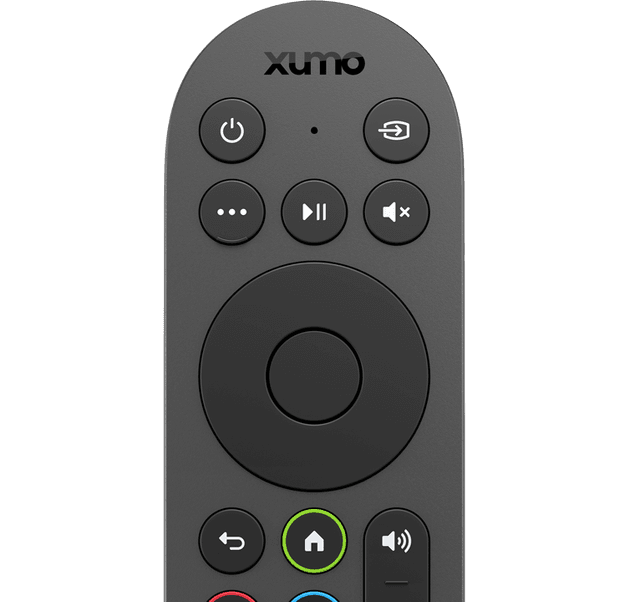
PowerTop left. Turns your TV on and off. (The little box stays on in the background — that is normal.)
VoiceThe button with a tiny microphone picture on it. Hold it down, say what you want to watch, like “weather channel,” then let go.
MoreThe button with three dots. Shows extra choices for whatever is on your screen.
Play / pausePauses what you are watching and starts it again.
MuteThe speaker with an X. Turns the sound off, and back on when you press it again.
OK and the arrowsThe big round pad. The arrows move around the screen. OK picks whatever you have highlighted.
BackThe curved arrow. Goes back one step.
HomeThe little house. Takes you to the main screen with all your apps.
VolumeThe speaker button. Turns the sound up and down.
ChannelMoves up and down through the channels.
Straight 2 Work Tech, LLC — patient, plain-words tech help.
(813) 770-6082