20 Common Computer Problems
The problems people call about most — no internet, slow computer, printer not printing — and the first things to check for each one.
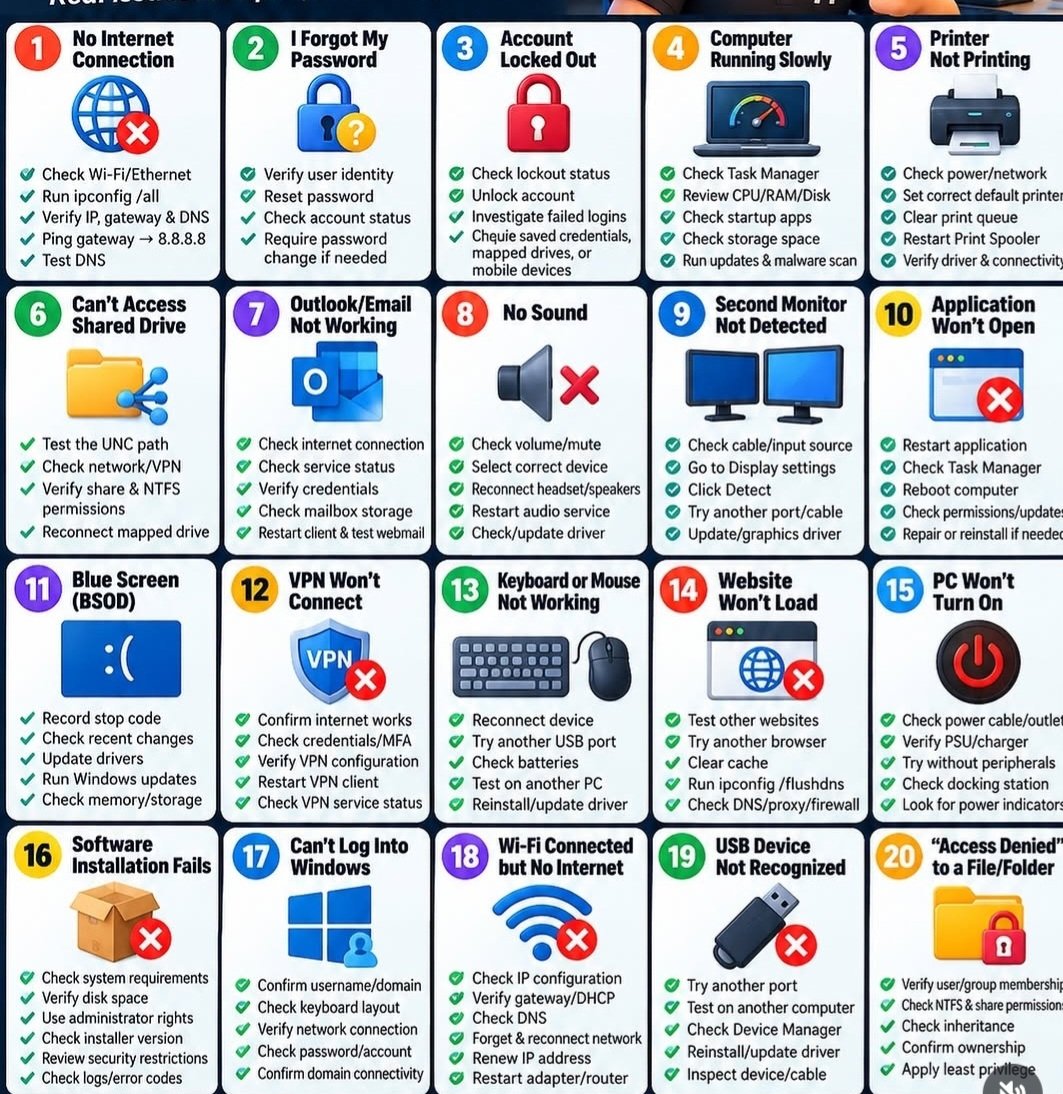
The home version: the problems people actually call about
The chart above is a technician’s grid, and some of its squares (shared drives, VPN, domain logons, NTFS permissions) are office-network topics — a home reader can skip those entirely. Here are the problems home callers actually have, in plain words, with the first checks walked through.
No internet. 1) Look at another device — if the phone has no internet either, it is the connection, not the computer. 2) Restart the modem/router box: unplug it, count to 30, plug it back in, and give it a full five minutes. 3) If only the computer is offline, click the Wi-Fi symbol and make sure it is connected to your home name.
Slow computer. 1) Restart it properly — Start menu, Power, Restart. A real restart fixes more slowness than anything else. 2) Close programs you are not using; ten open windows is a traffic jam. 3) If it is slow every morning for ten minutes, it may just be finishing updates — give it time before judging.
Printer not printing. 1) Is it on, with paper and ink? 2) Is it on the same Wi-Fi as the device you are printing from? 3) Turn the printer off, count to 30, turn it back on, and try one page. Those three fix most silent printers.
Email will not send. 1) Check the internet is working by opening any web page. 2) If the mail app keeps asking for a password, the password may have changed or needs re-typing — type it fresh rather than tapping past the warning. 3) A very large photo attachment can jam the outbox; delete that one message and send the photo by itself.
A scary warning has frozen the screen. That full-screen "your computer is infected, call this number" page is a fake — never call the number and never let anyone it sends you connect to your computer. Hold the power button until the computer shuts off, turn it back on, and carry on. There is a whole chart in this library about that fake warning and what to do.
Anything past these first checks — or anything that keeps coming back — is exactly what a service call is for.
Need a hand with this in person? Call (813) 770-6082 — Straight 2 Work Tech, LLC, Sun City Center, Florida.