Giving Away a Device? Wipe It Right
Back up, sign out, erase, remove the SIM - in that order, so the next owner gets a working device and none of your information.
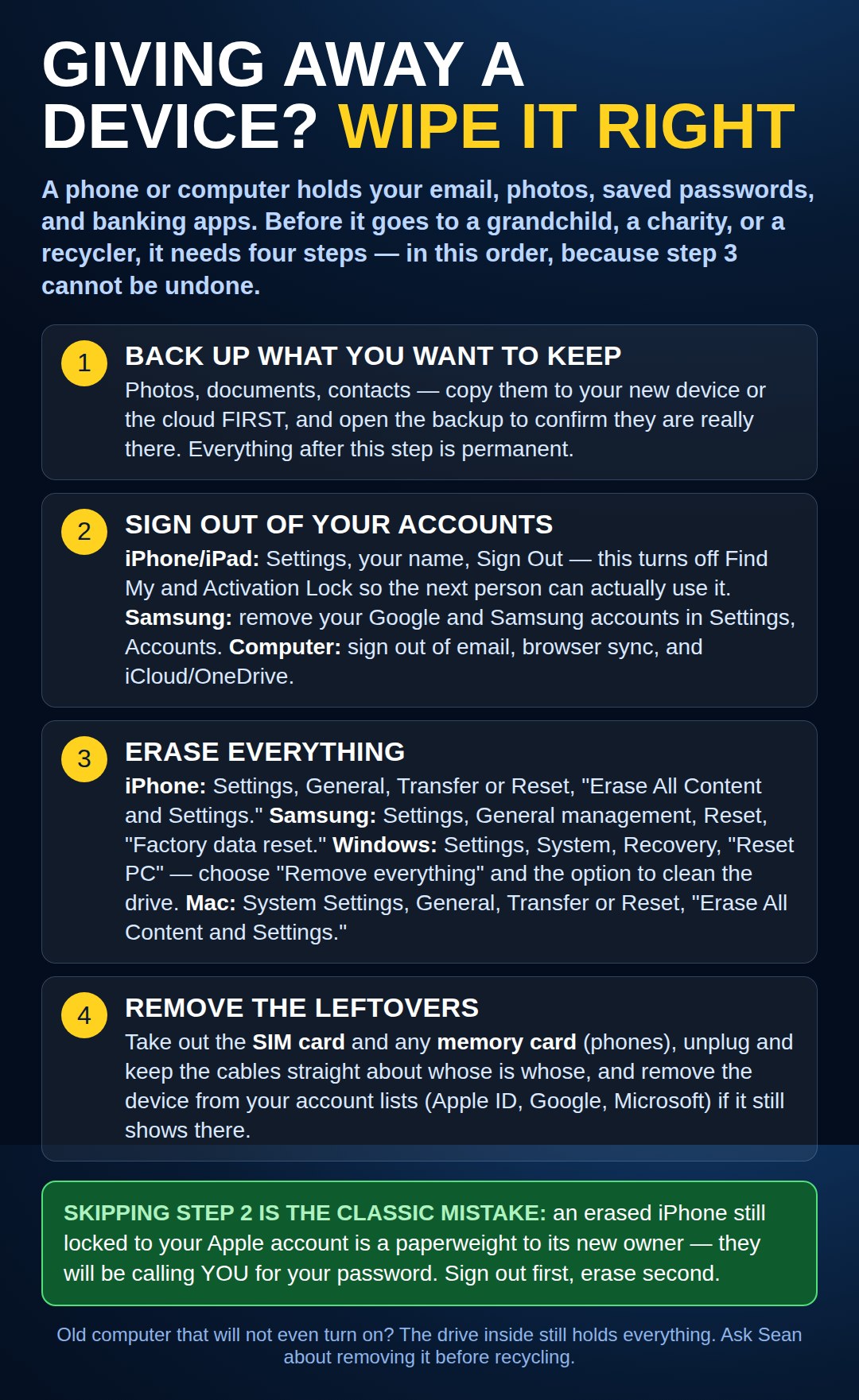
Pixel, Chromebook, and Fire tablet — and one menu-name correction
A friendly correction: the reset path named in the chart — "General management → Reset" — is Samsung’s menu wording. Other Android phones keep the same job in a differently named place, so do not hunt for words that are not on your phone.
Google Pixel and most other Android phones: Settings → System → Reset options → Erase all data (factory reset). Sign out of your Google account first, as the chart’s order says.
Chromebook: the factory wipe is called Powerwash — Settings → Advanced → Powerwash → Restart. It erases the machine while your Google account itself (and anything saved in Drive) stays yours.
Amazon Fire tablet: Settings → Device Options → Reset to Factory Defaults. Also deregister it from your Amazon account (in the same Device Options area, or from your account page on Amazon’s site) so the next owner is not shopping on your card.
Need a hand with this in person? Call (813) 770-6082 — Straight 2 Work Tech, LLC, Sun City Center, Florida.