Firewall Basics
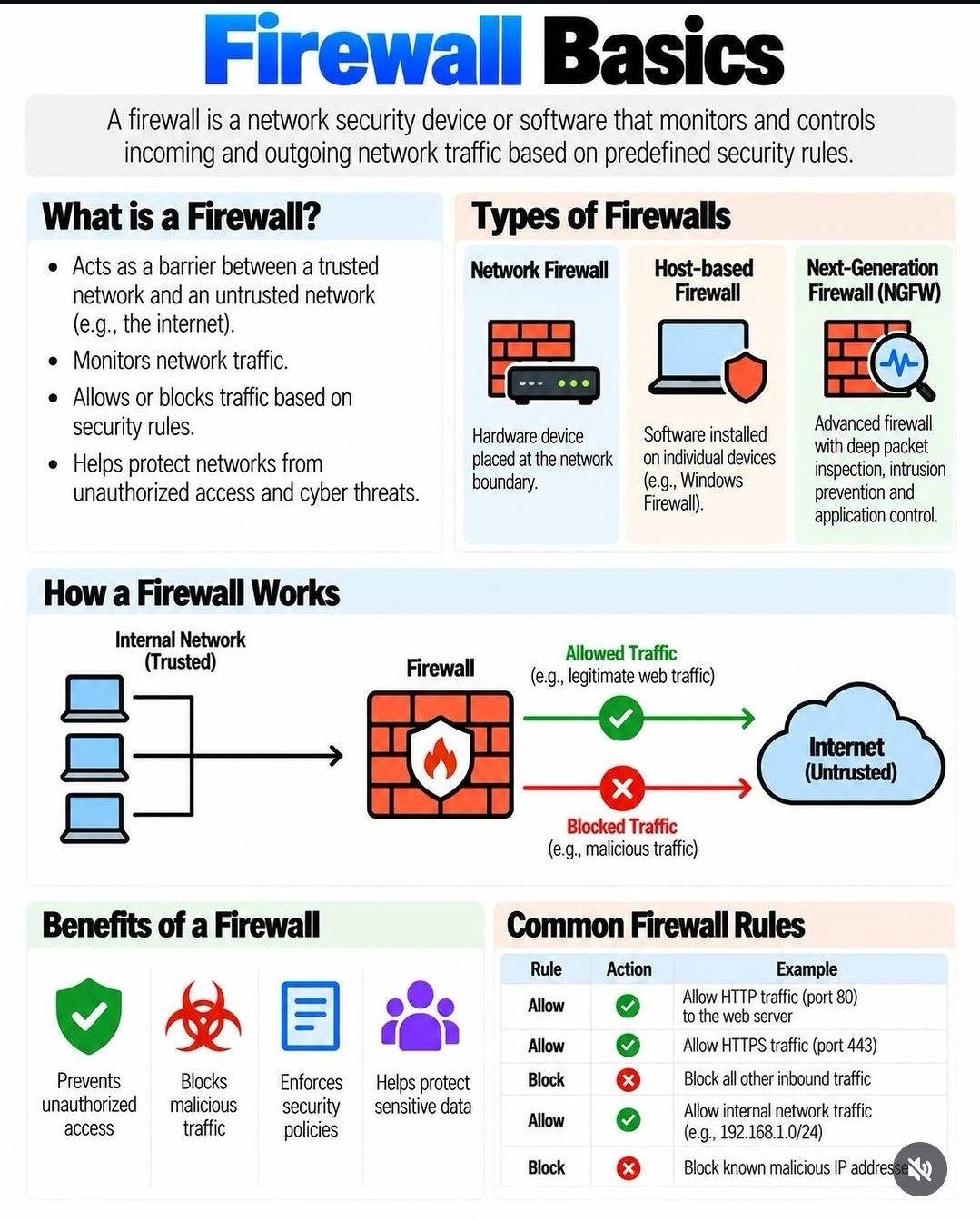
What a firewall is, the kinds there are, and how it decides what traffic to let through.
The practical part: you already have one
Here is what all of that means for your house: you almost certainly already have two firewalls, and both are already on. The box from your internet company (your router) has one built in — that is the network kind. And the computer itself has one: Windows Firewall on a Windows PC, and Macs have one in System Settings → Network → Firewall. Nobody needs to sell you another one.
The whole job is simply: leave them on. A thirty-second check on Windows: click the Start button, type Windows Security, open it, and choose Firewall & network protection — each network should say the firewall is on. If a program ever pops up asking "allow this through the firewall?", say yes only to programs you recognize and went looking for; anything that asks out of nowhere gets a no.
Need a hand with this in person? Call (813) 770-6082 — Straight 2 Work Tech, LLC, Sun City Center, Florida.