Memory Cards & USB Sticks
Flash media is storage with no moving parts. A memory card or USB stick holds your photos, videos, and files on tiny chips. There are only three shapes you need to know.
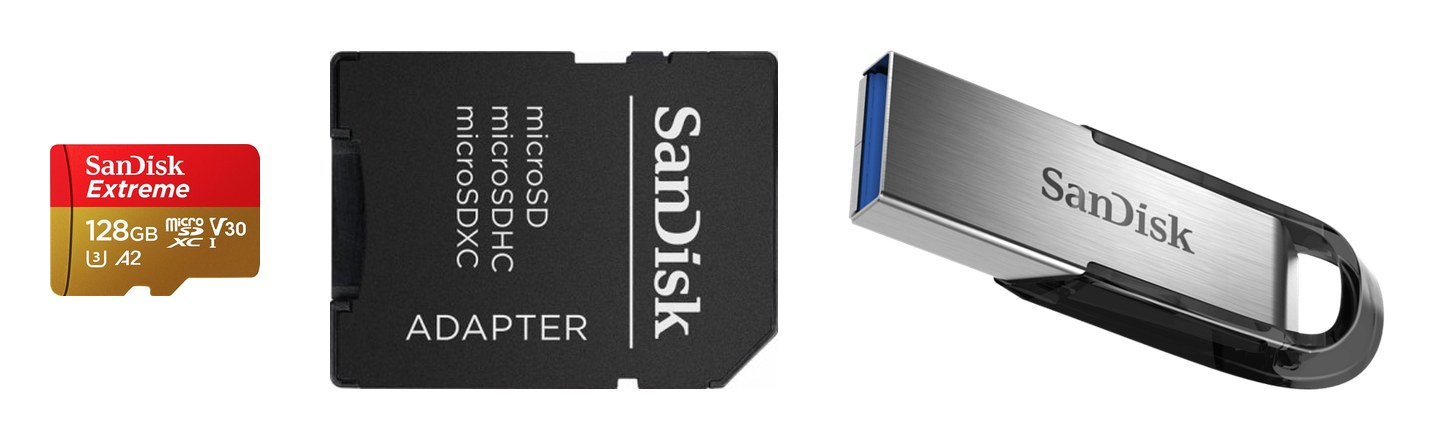
microSD — 15 × 11 mm, fingernail-size.
SD (full-size) — 32 × 24 mm, what most cameras take.
USB stick — the thumb drive. Plugs straight into a computer.
All three hold the same kind of files — only the shape and the slot are different.
The three you will meet
- microSD — the tiny one. Goes in phones, tablets, cameras, dash cams, and game consoles. A microSD also fits a full-size SD slot with a cheap adapter, so one card can do both jobs. Note: many newer phones no longer have a card slot at all — check yours before buying.
- SD — the camera-size one. This is what most cameras take. Buying a microSD with an included adapter is often the smarter move: use it tiny in a phone or dash cam, or slide it into the adapter for a camera.
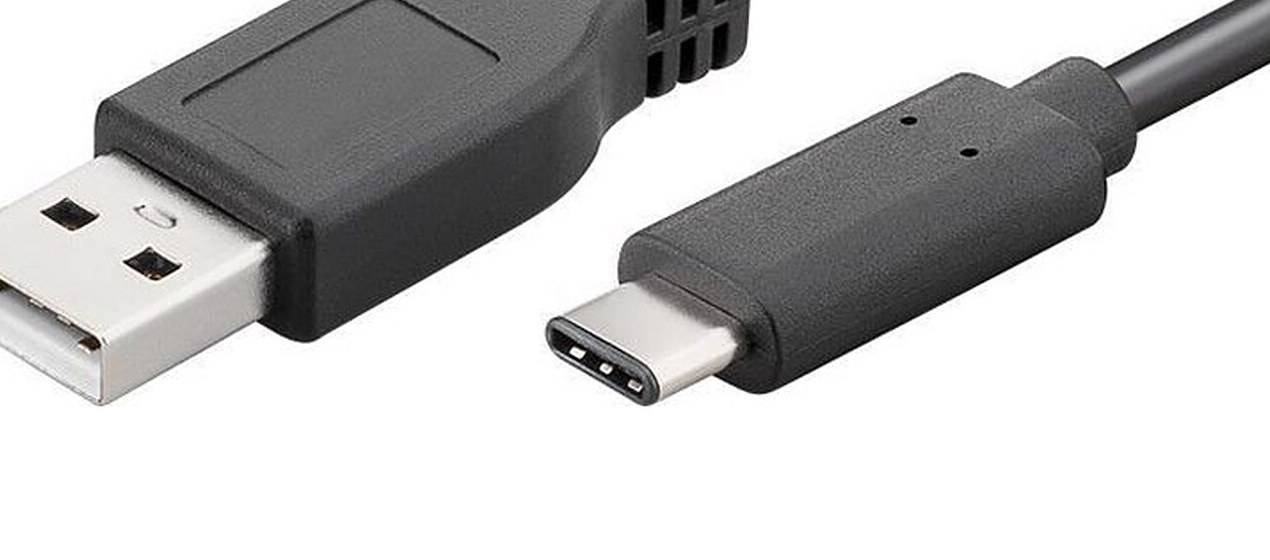
- USB stick — the thumb drive. Plugs straight into a computer to move files or carry them with you. Check the end before you buy: USB-A is the old flat rectangle, USB-C is the small oval that fits either way up.
Reading the tiny letters on a memory card
A memory card's face is covered in little symbols. Only four matter:
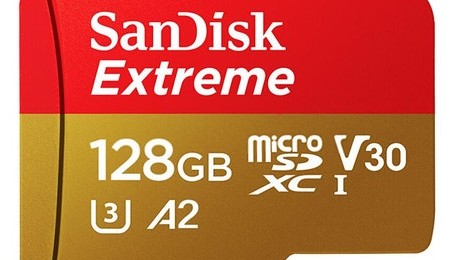
- 128GB — how much it holds. Photos, videos, files. Bigger number, more room.
- U3 + V30 — fast enough for 4K. For smooth 4K video, look for U3 or V30 on the card.
- A1 / A2 — good in phones. Means apps run well from the card. Nice to have, not vital.
- microSDXC — the current kind. 64GB to 2TB. Fits anything made in roughly the last 10 years.
- Simple rule: for a camera or 4K video, buy a card marked U3 or V30. For a phone, A1 or A2 is a plus.
What size should you buy?
- 128GB is the sweet spot for most people — thousands of photos and hours of video.
- 256GB if you shoot a lot of 4K video or fill cards fast.
- Don't bother with anything under 64GB today — bigger cards cost barely more.
SanDisk: the brand to buy
- SanDisk is the brand I recommend. Their cards are reliable, fast, and widely available — it's what's in my own cameras.
- Buy from a real store. Counterfeit cards are everywhere online. A fake card lies about its size and can swallow your photos. Buy at Best Buy, Target, Costco, or SanDisk's own site — if the price looks too good to be true, it is.
- Dash cam? Get a card labeled “High Endurance” — it's built to be written over again and again, and a regular card will wear out fast in a dash cam.
Three rules so you never lose anything
- Never pull a card or stick out while it's saving. Wait until the blinking stops, then use “Eject” or “Safely remove” on a computer.
- Format a new card in the device that will use it. A camera formats a card for a camera — that avoids strange errors later.
- Cards can die without warning. Keep a second copy of the photos that matter — that's what the cloud backup section is for.
When to call Sean instead
- You're not sure which card or size your camera, phone, or dash cam takes.
- A card says it's full, corrupted, or your photos vanished.
- You want your photos moved onto a computer or a real backup set up.
“High Endurance” Get a card labeled “High Endurance” — it's built to be written over again and again, and a regular card will wear out fast in a dash cam.
Straight 2 Work Tech, LLC — patient, plain-words tech help.
(813) 770-6082