Bluetooth Pairing, Demystified
Pairing mode first, then your phone - plus the forget-and-re-pair fix that cures most "it connected once" problems.
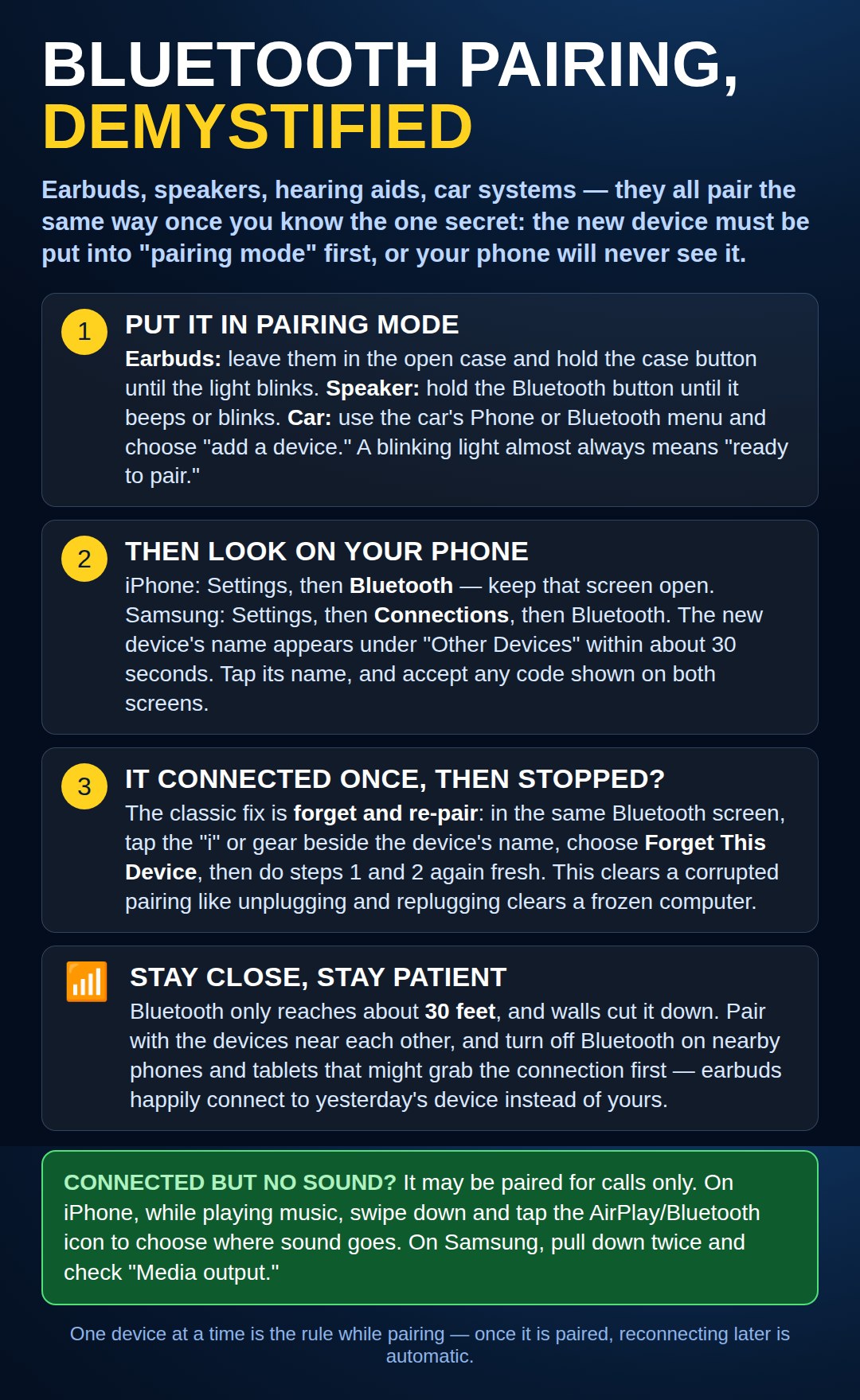
More paths: Pixel phones, tablets, and hearing aids
On a Google Pixel or other Android phone (not Samsung), the same job lives under a different name: Settings → Connected devices → Pair new device. Put the gadget in pairing mode first, exactly as the chart shows, then tap its name when it appears. Samsung’s "Connections" menu and Google’s "Connected devices" menu are two coats on the same door.
Tablets can be the host, too. On an iPad it is Settings → Bluetooth, just like an iPhone. On an Amazon Fire tablet it is Settings → Connected Devices → Bluetooth. The pairing steps in the chart are the same once you are on that screen.
Hearing aids pair in a different place. The regular Bluetooth list often will not take them. On an iPhone, use Settings → Accessibility → Hearing Devices and let the phone find the aids there. On Android, look under Settings → Accessibility → Hearing aids (on Samsung phones it sits inside Hearing enhancements). Your hearing aid office can also pair them for you — that is a normal thing to ask.
Need a hand with this in person? Call (813) 770-6082 — Straight 2 Work Tech, LLC, Sun City Center, Florida.