Common Causes of BSOD (Blue Screen)
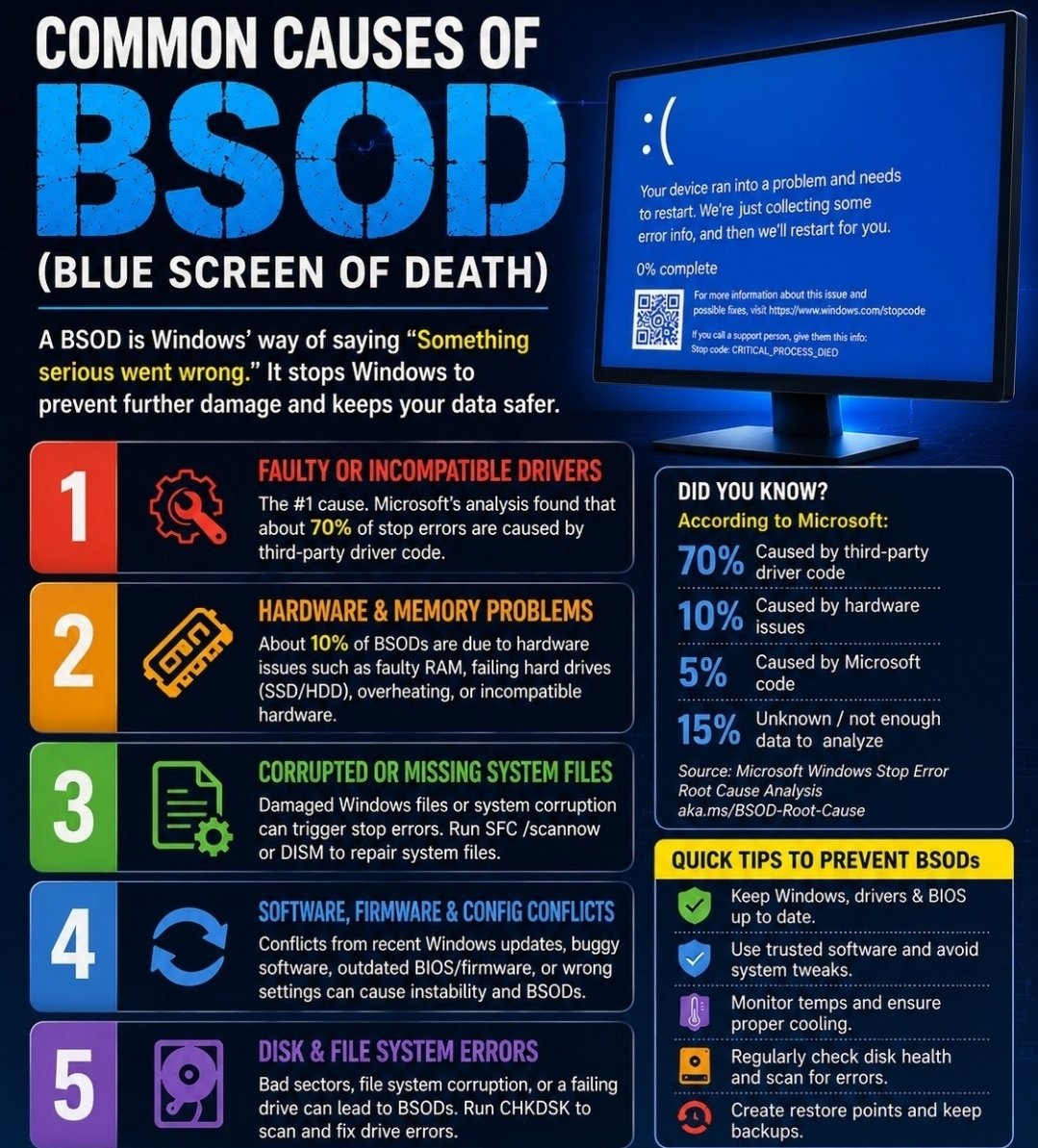
The five common causes of a blue screen: faulty drivers, hardware and memory problems, corrupted system files, software conflicts, and disk errors — plus quick tips to prevent them.
It just happened to you? Do this first
1. Take a photo of the blue screen with your phone. Near the bottom there is a line of words — the "stop code," like MEMORY_MANAGEMENT or a driver name. That line is the clue a repair person needs most.
2. Ask: once, or over and over? One blue screen in a year is usually a hiccup — write down the date and the stop code, and carry on. Blue screens every week, or every time you do the same thing, are a real fault that needs attention.
3. Undo the newest thing. Blue screens very often start right after something new arrived — a program, a driver, or a Windows update. System Restore (search for it in the Start menu) rolls the computer’s settings back to a day when it worked, without touching your files, photos, or email.
4. If Windows will not start properly, Safe Mode is the spare door: it starts Windows with only the basics, so you can remove the new program or run System Restore. On most computers, interrupting the startup twice on purpose (hold the power button as Windows begins to load) brings up the repair menu that offers Safe Mode.
If it keeps happening after those steps, that is a call-us job — bring the photo of the stop code with you.
Need a hand with this in person? Call (813) 770-6082 — Straight 2 Work Tech, LLC, Sun City Center, Florida.